Sort the references in bib file in TeXstudio
07 Jun 2024If you are willing to sort the references in .bib file according to the article type and reference name in alphabetical order, this article is helpful.
Steps
The steps for the settings includes:
- A script in Python to read the
.bibfile and order them. - Setting of
Macroin TexStudio to run the script.
Python Script
- Click to download the python script to sort the
.bib. - Run the script in cmd
$ python sortBib bibfilename.bib
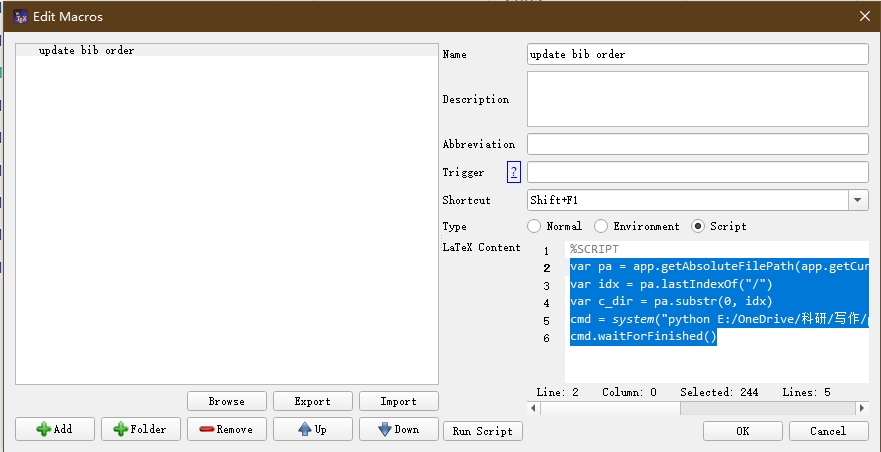
Setting of Macro in TeXstudio
- Click on the
Edit Macros - Select the
Scriptoption - Type in the Macro name
- Copy the following script in textbox
// get the path of current working file
var pa = app.getAbsoluteFilePath(app.getCurrentFileName(), ext = "")
var idx = pa.lastIndexOf("/")
var c_dir = pa.substr(0, idx)
// run the script
cmd = system("python sortBib.py bibfilename.bib", workingDirectory=c_dir)
cmd.waitForFinished()
- To run the Macro, click on the Macro name shown in the menu after clicking
Macroson the top of TeXstudio